Deal Builder is now available in Our DMS
What is a deal?
A deal is a richer, more committed enquiry. Customers can choose to add options to their deal such as part exchange, finance preferences and a reservation - giving you a clearer picture of what your customers want, before you speak to them.
Meet the evolving expectations of buyers while staying fully
in control of the sales process.
Deal Builder gives customers the flexibility to complete the
steps they want online, while you receive more prepared,
high-intent buyers. This means fewer back-and-forth
conversations and more ready-made deals you can prioritise to
maximise margin and efficiency.
From lead generation to deal domination
Deal Builder helps dealers meet modern consumer expectations by offering a flexible, online-first buying journey. Customers can complete as much or as little of the purchase process online as they choose, with the option to reserve a vehicle, add a part exchange, apply for finance, and arrange delivery—all in one seamless experience.
Deal Builder supports two types of deals:
- Deals with Reservation allow customers to secure a vehicle online. Reservations expire after 30 days if no action is taken, and the full deal expires after 90 days. Dealers can manage these deals through the Portal. Reservation payments are handled by Stripe, and the reservation fee is fully refunded to the customer.
- Deals without Reservation do not require any pre-payment and have no expiry, offering maximum flexibility for customers who prefer to proceed without committing upfront.

This approach gives both dealers and customers greater control, transparency, and convenience throughout the buying process.
Features available in Dealers Hub
Real-time visibility and full control over every deal.
View deals in real time
Monitor live incoming offers and track negotiation progress instantly.
Update deal outcome
Easily record final results to maintain an accurate pipeline.
Manage all deal components
Control every transaction detail from one centralized dashboard.
Pro Tip
Keep deal outcomes updated to ensure accurate tracking and reporting across your pipeline.
How to use the Deal Builder in our DMS?
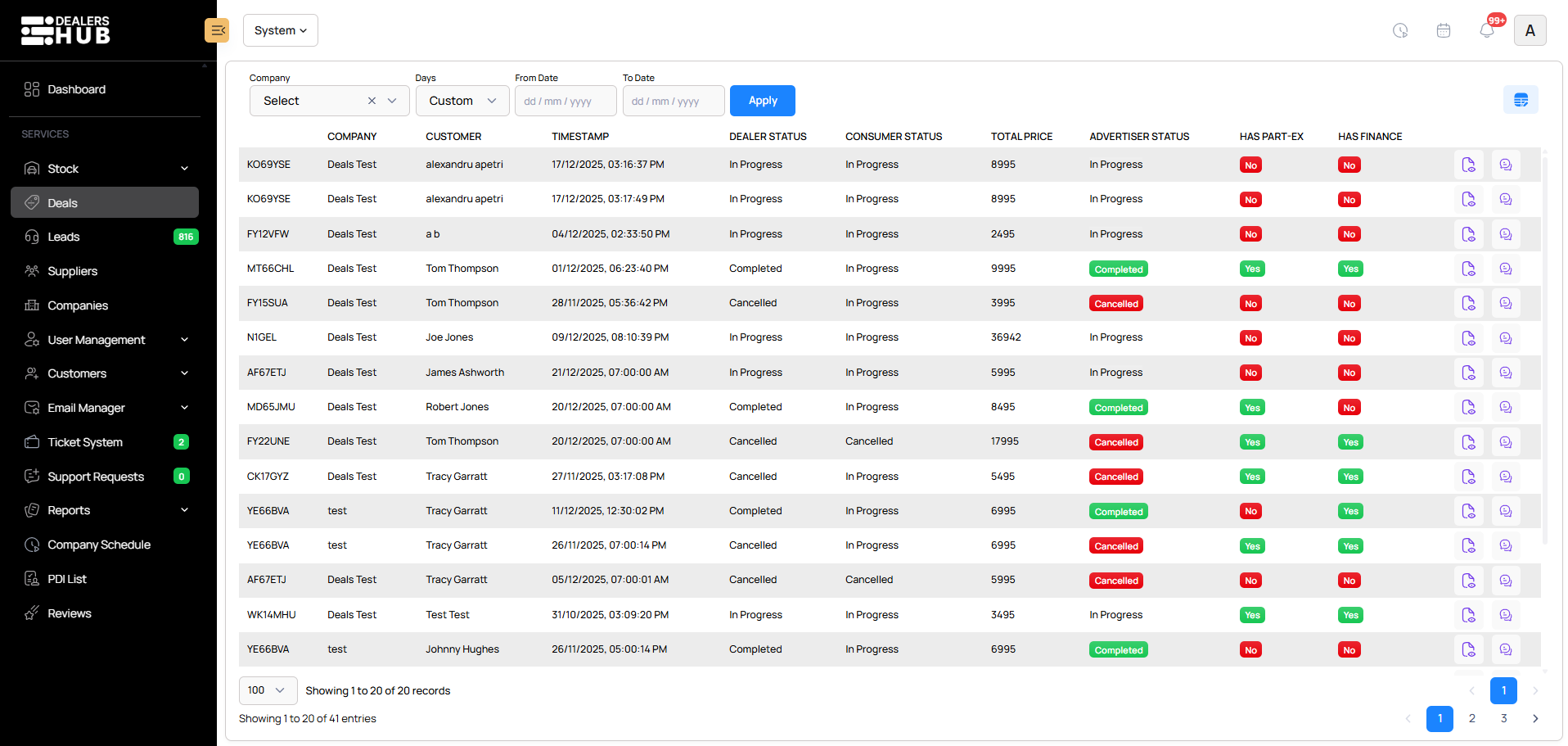
1. Deal's Section
The Deals section gives you full control over every active deal from the first customer interaction to final delivery. Users can view and manage deals in real time, handle finance and part exchange details, communicate with customers using AI assisted chat, and track delivery information, all from one centralized workspace.
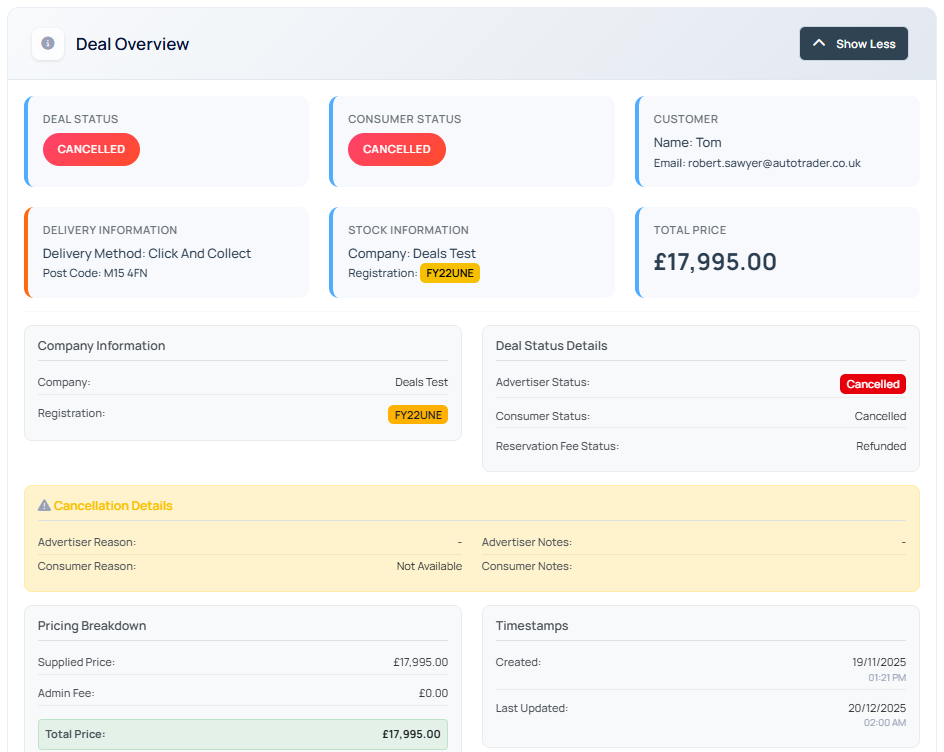
2. Deal Overview
The Deals section provides a comprehensive Deal Management Dashboard, giving you complete visibility into every transaction. Track real-time deal and consumer statuses, review customer contact details, and monitor vehicle stock information at a glance. From managing delivery methods like Click and Collect to auditing pricing breakdowns and cancellation reasons, this centralized workspace ensures full transparency from reservation to finalization.
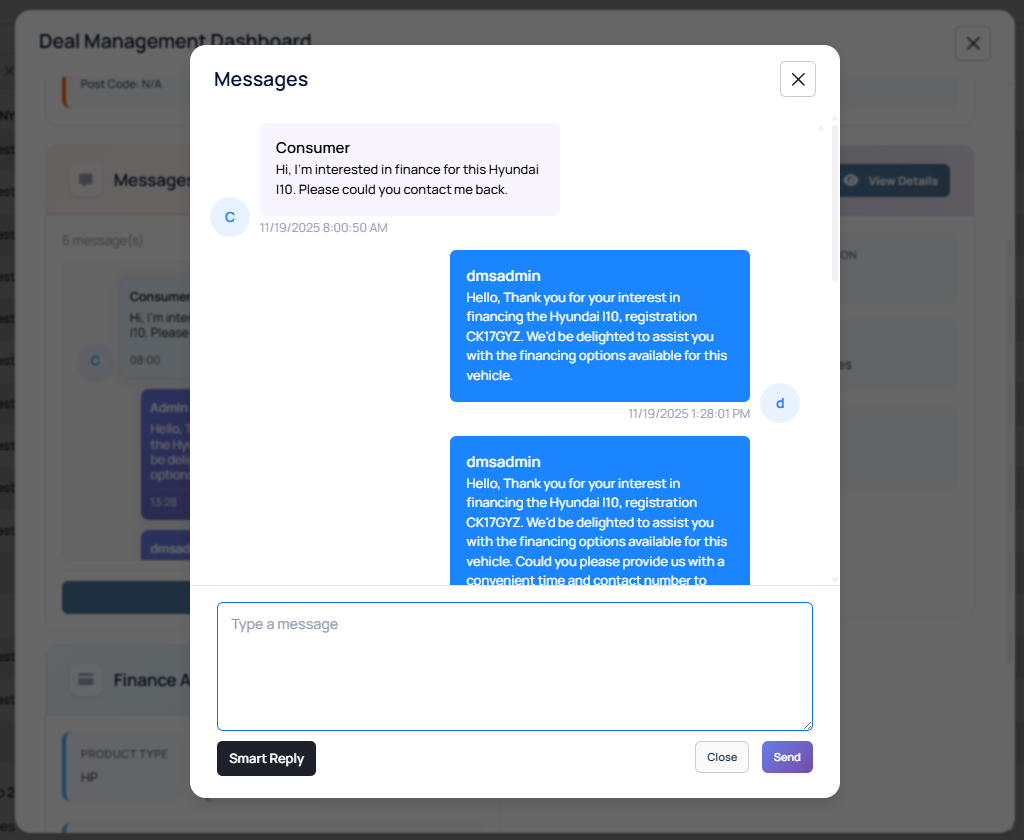
3. Messaging Section
The Messaging section centralizes all customer communications within the Deal Builder, allowing you to engage with buyers instantly. Admins can view real-time inquiries regarding finance, part-exchange, or vehicle specifics and respond with precision. By leveraging AI-powered smart replies, you can deliver professional, data-driven responses that include specific vehicle details, ensuring a high-touch customer experience with minimal effort.
4. Part Exchange Section
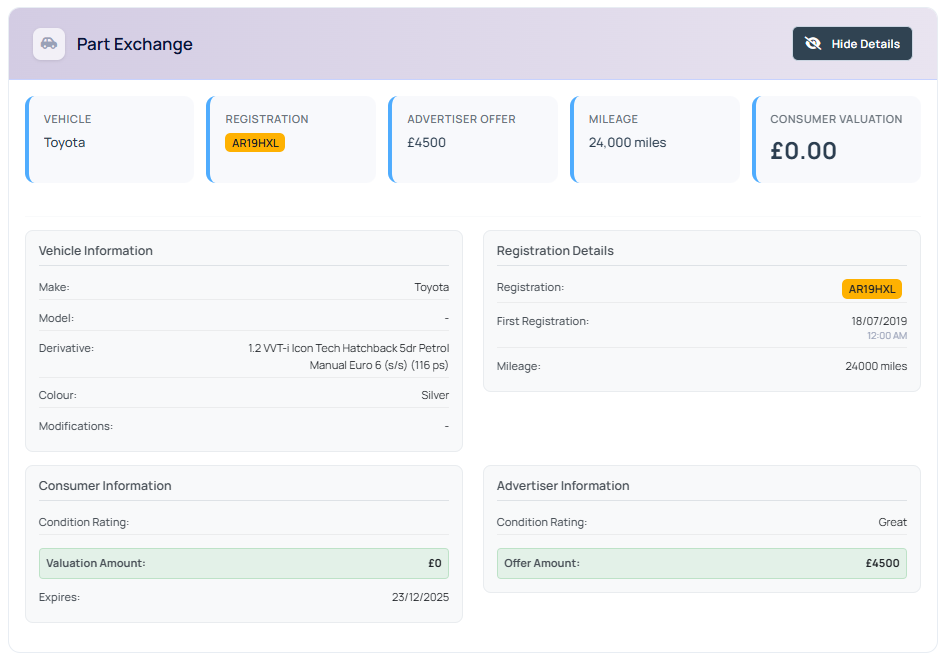
The Part Exchange section simplifies the trade-in process by providing a detailed breakdown of the customer's current vehicle. It allows you to compare consumer valuations against your own advertiser offers, ensuring transparent and fair negotiations. With access to specific vehicle data—including exact derivatives, modifications, and condition ratings—you can make informed, data-driven decisions on every trade-in directly within the deal workflow.
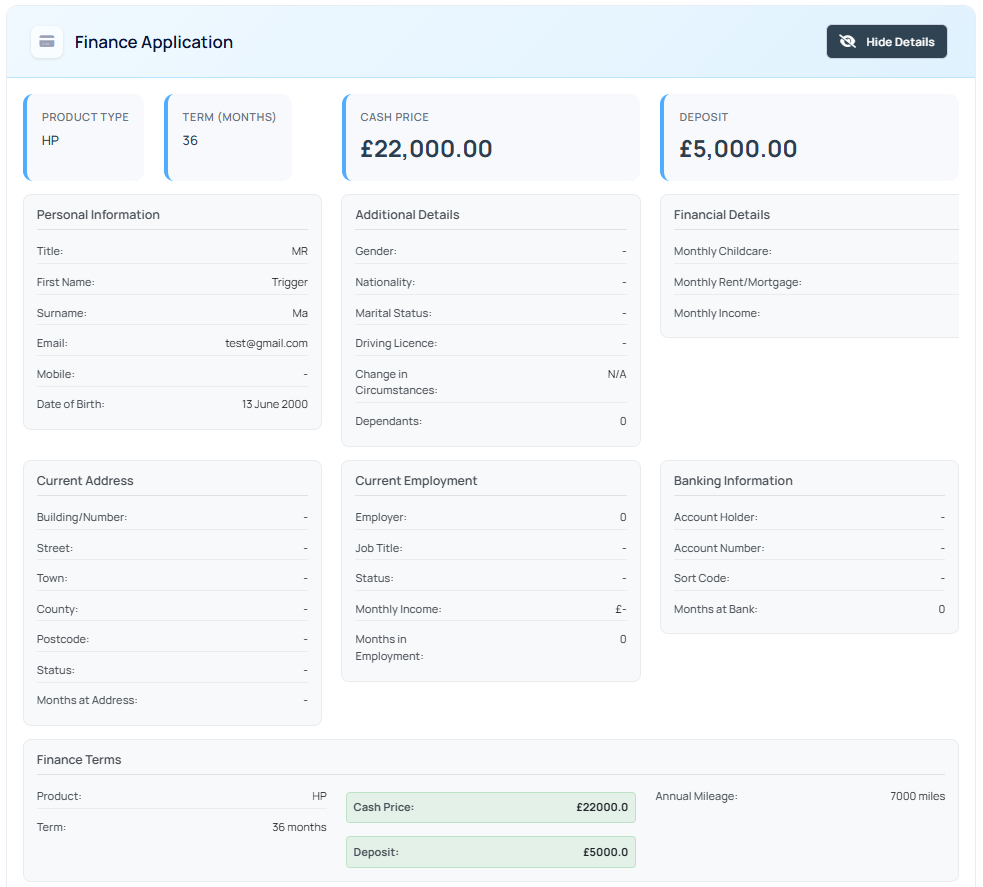
4. Finance Section
The Finance section streamlines the credit application process by consolidating all buyer financial data into one comprehensive view. It provides a detailed look at the customer’s profile—from personal and employment history to banking details and monthly expenditure—enabling faster affordability assessments. With all the core finance terms visible at a glance, you can move from application to "Get Quotes" instantly, significantly reducing the time to approval.